How members opt in to text alerts
Commovi ride alerts are text messages from Cascade Layer about rides a member is part of: booking confirmed or declined, cancellations and the day-before reminder. Members get them only if they opt in, in one of two places. Opting in is never required.
1. When joining
A new member opens their community's invite link, enters their mobile number and gets a one-time sign-in code. Under the phone field there is an optional checkbox, unchecked by default, with links to the Terms of Service and Privacy Policy beside it, that reads:
Text me Commovi alerts about my rides: booking confirmed or declined, cancellations and the day-before reminder. Message frequency varies. Message and data rates may apply. Reply HELP for help. Reply STOP to opt out.
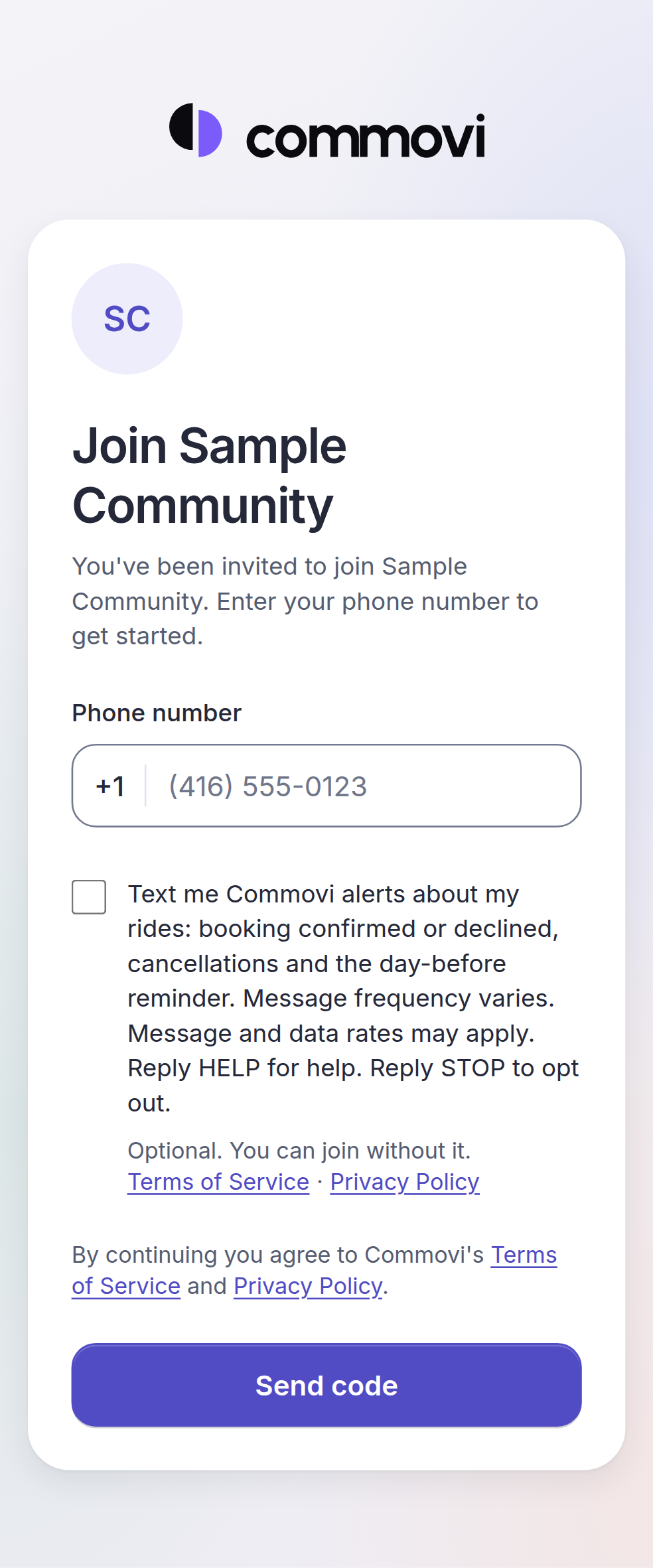
2. In Notification settings
Any member can turn alerts on later with the Text alerts switch in Notification settings, next to the same wording and the same two links. It is off unless they turned it on.
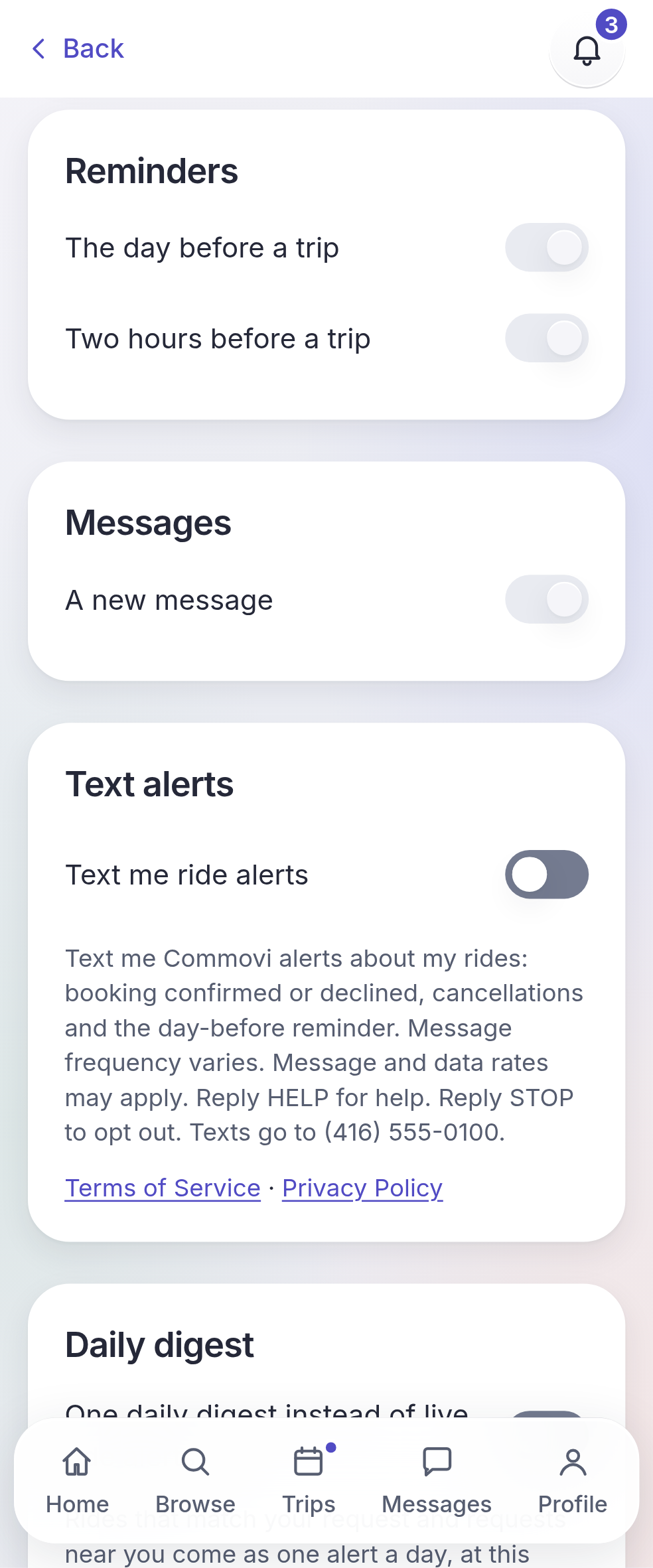
After opting in
The confirmation text:
Commovi: You'll get texts about your rides: booking confirmed or declined, cancellations and the day-before reminder. Message frequency varies. Message and data rates may apply. Reply HELP for help. Reply STOP to opt out.
The member gets one text confirming, and we record when they agreed, where, and the wording they saw. Every alert ends with "Reply STOP to opt out." STOP stops them; to resume, a member can reply START to a Commovi ride alert (the number your alerts come from). HELP explains the program and how to reach us at support@commovi.com. Details are in the Terms of Service and the Privacy Policy.